CTF Walkthrough: READONLY — The Mind Behind The READONLY Archive
Bu çözümün Türkçesi de var: sağ üstten dili TR yapın.
Introduction
In this walkthrough, we will break down the complete end-to-end solution for the READONLY CTF challenge. The challenge involves multi-layered QR manipulation, Braille and Morse cipher decoding, client-side web and favicon asset analysis, encrypted PDF recovery, and an unexpected psychological plot twist at the finish line.
1. Initial QR Code Scanning and Link Discovery
The challenge started with an image file named evidence.png. The first logical step was uploading this QR code to an online scanner (scanqr.org).
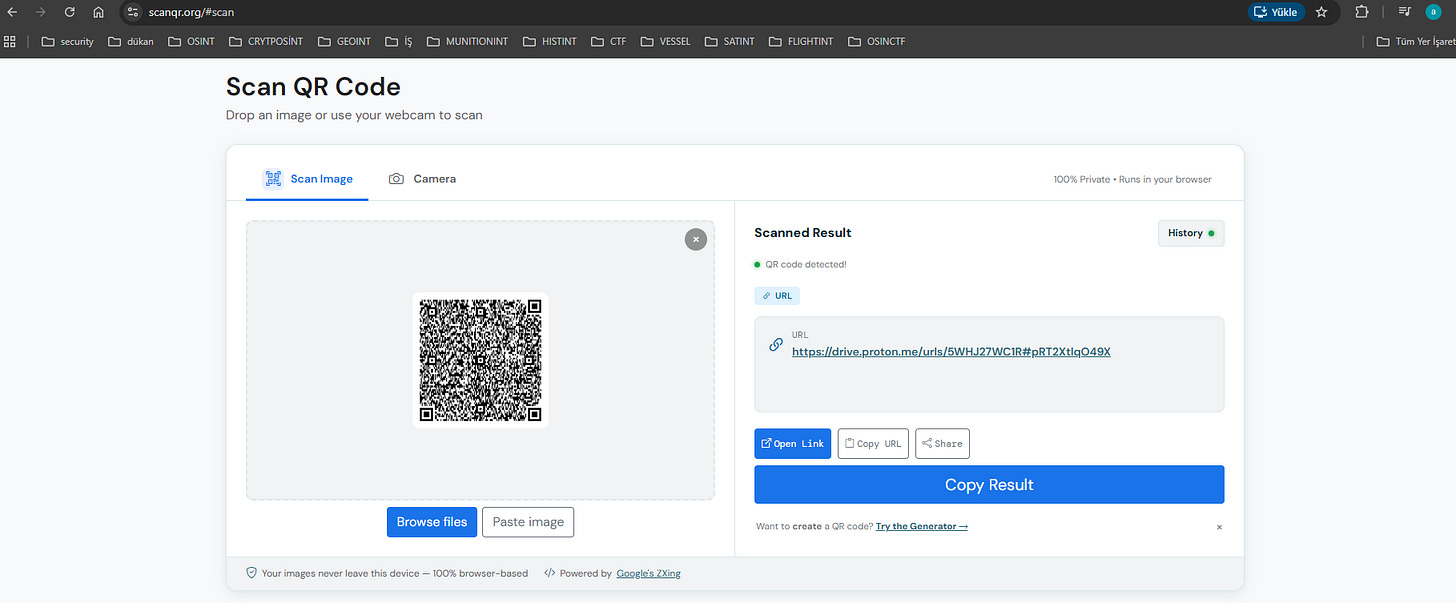
2. File Inspection & The Crucial Note
Navigating to the Proton Drive folder revealed two files:
internal_record_review_041.pdf(Password-protected PDF)Note
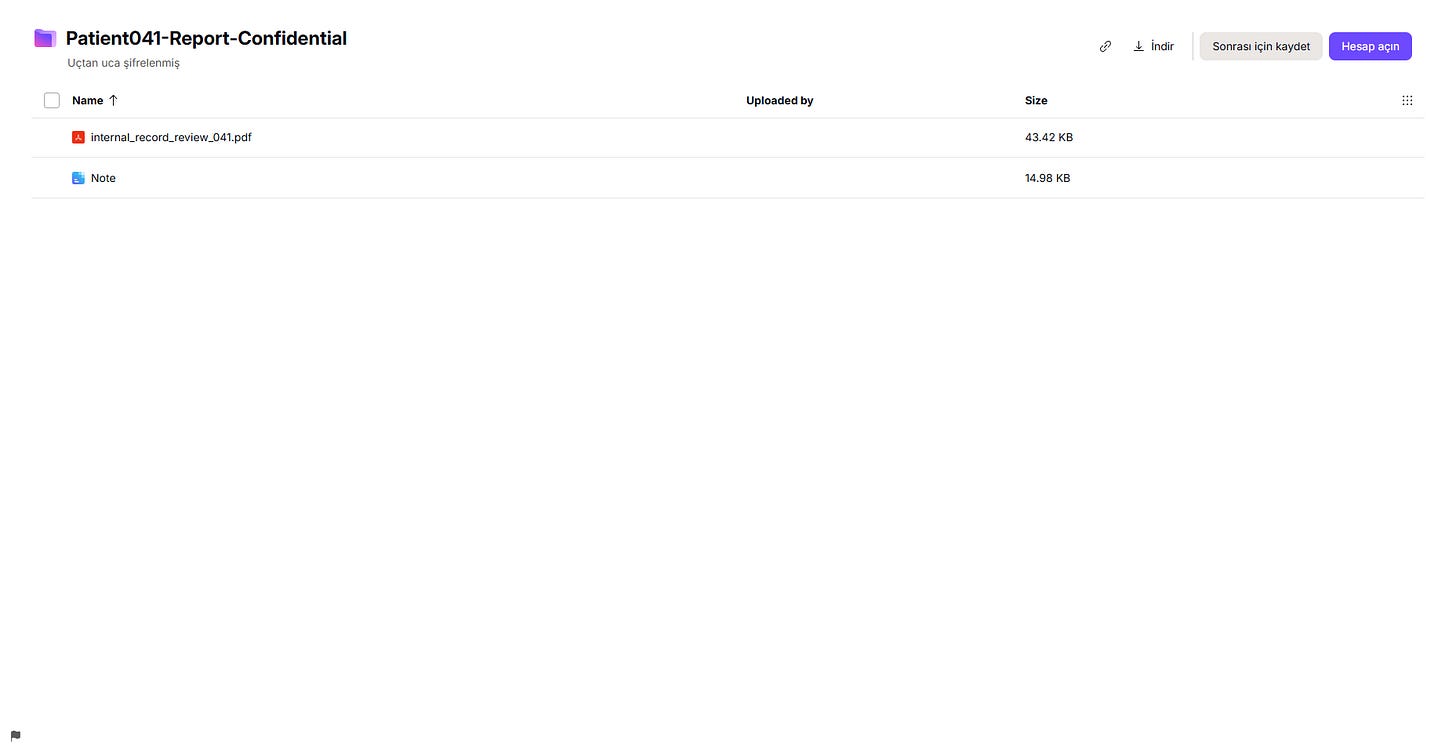
After downloading both files, attempting to open the PDF prompted a password dialog. Inspecting the Note document provided key rules and formatting instructions:
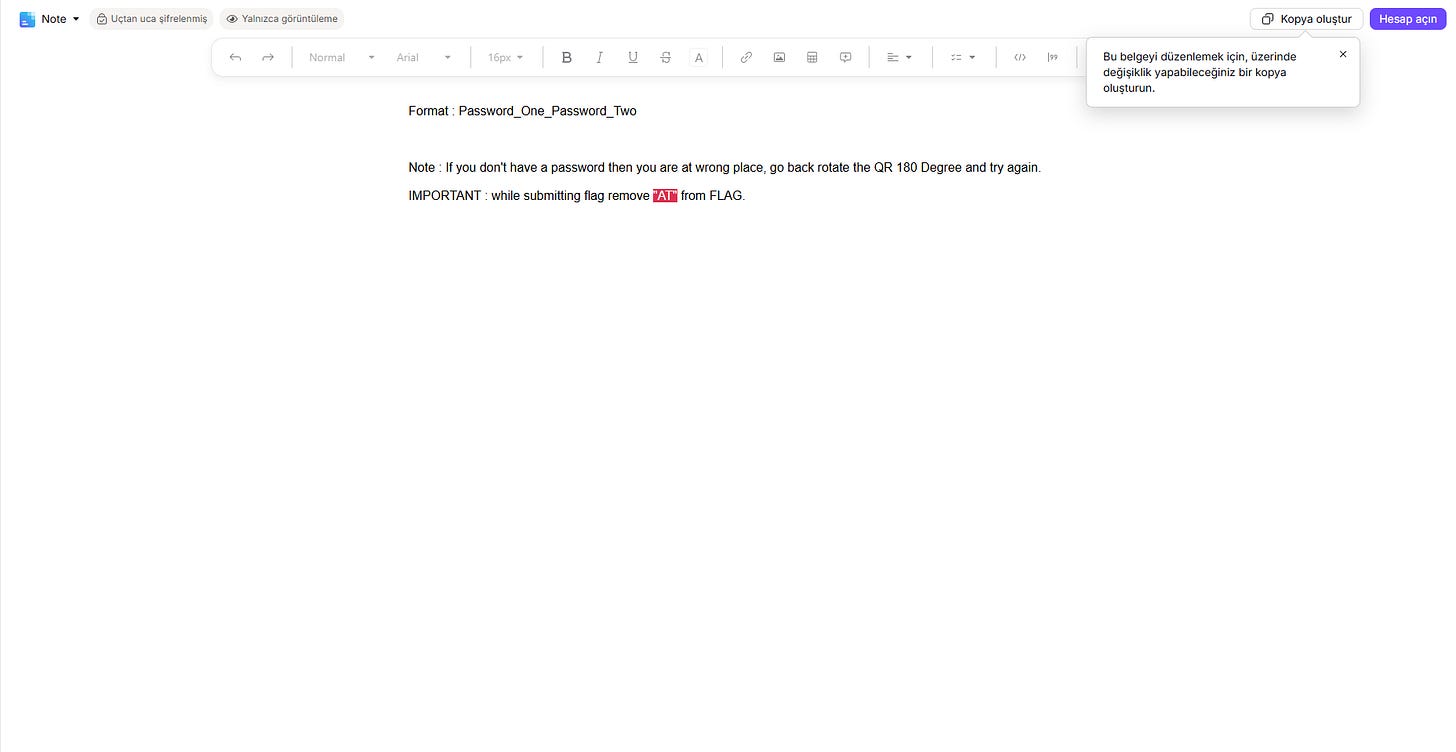
The note stated:
“If you don’t have a password then you are at wrong place, go back rotate the QR 180 Degree and try again.” “IMPORTANT : while submitting flag remove ‘AT’ from FLAG.”
3. Rotating the QR 180° & Terminal Analysis with zbarimg
Initially, I tried simply rotating the image using basic desktop viewer options (View Rotation) and re-scanning, but that quickly turned out to be a dead end.
I then switched to a command-line approach using zbarimg on Kali Linux. After rotating the QR image 180 degrees and saving it as a.png, I ran:
zbarimg a.png
The scanner extracted an unusual string of Unicode dots, hyphens, and patterns:
⠏‐․.. ⠁․‐‐‐‐ ⠞‐‐‐‐‐ ⠊‐‐․ ⠑․․․․․ ⠝․‐‐․ ⠞‐‐‐‐‐ ⠼⠚‐ ⠼⠙ ⠼⠁4. Cipher Breakdown: Braille & Morse Code Combination
At first glance, the dots and dashes looked like Morse code. However, looking closely at the leading characters revealed that they were actually Braille symbols interlaced with Morse code.
I used dCode’s Braille decoder to isolate and translate the characters:
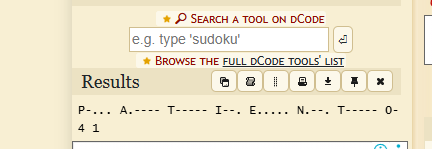
Breaking down the two interleaved layers:
- Braille Characters:
⠏ ⠁ ⠞ ⠊ ⠑ ⠝ ⠞ ⠼⠚ ⠼⠙ ⠼⠁$\rightarrow$PATIENT041 - Morse Code:
‐․.. ․‐‐‐‐ ‐‐‐‐‐ ‐‐․ ․․․․․ ․‐‐․ ‐‐‐‐‐ ‐$\rightarrow$b10g5p0t(Leetspeak forblogspot)
Combining both strings pointed directly to an active blog: patient041.blogspot.com.
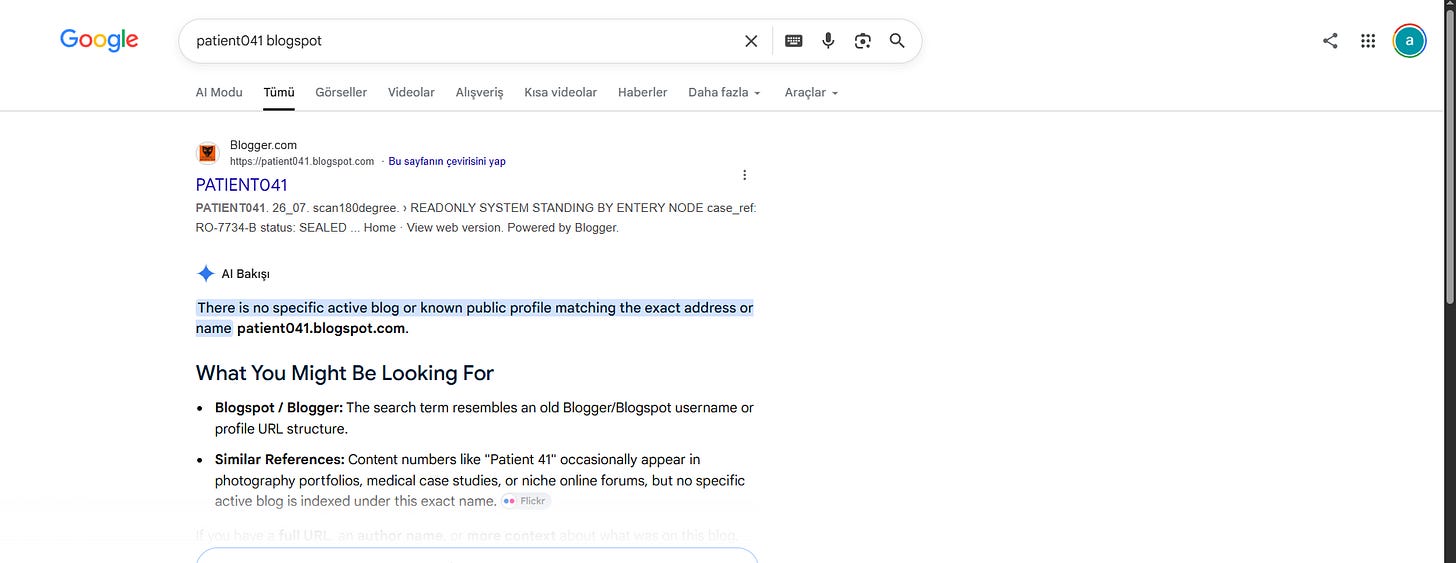
5. Locating the Target Blog
A targeted Google search for patient041 blogspot immediately surfaced the hidden blog post:
6. The Favicon Clue & Developer Tools Inspection
While scrolling through the interactive page, a diary snippet caught my attention:
“There are many icons here... but can you find my favorite icon?”
Pressing Ctrl + U to inspect the source code, I searched for the website's favicon declarations:

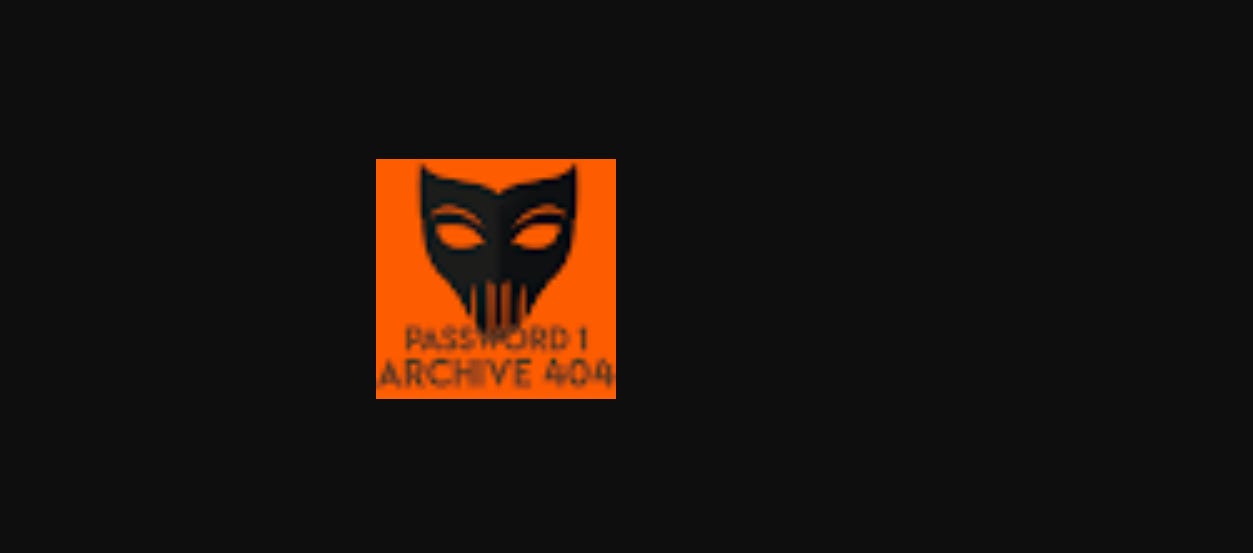
Opening the raw favicon.ico image and zooming in revealed the first password clearly stamped across the icon:
Password 1: Archive_404 (or ARCHIVE 404)
7. Interactive Terminal & The Second Password
At the bottom of the page was an interactive terminal interface (READONLY@ARCHIVE:~$). Running the available commands led to the recover function:
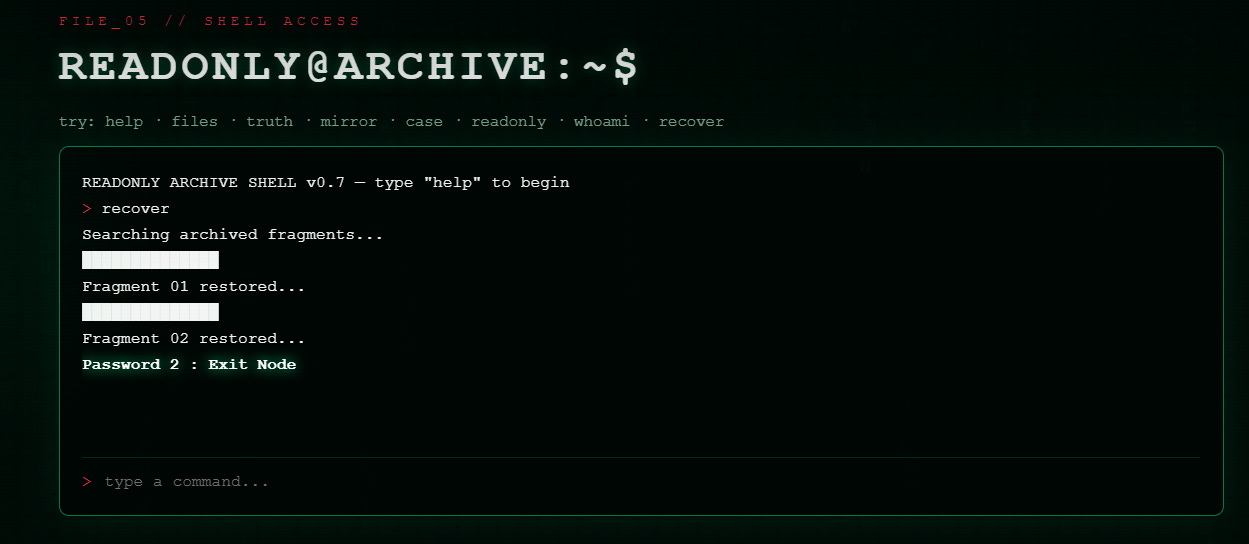
- Password 2:
Exit_Node(orExit Node)
8. Unlocking the PDF & The Psychological Plot Twist
With both pieces finally in hand, following the format laid out in the initial note (Password_One_Password_Two) gave us the exact decryption key:
Archive_404_Exit_Node
Supplying this key directly unlocked internal_record_review_041.pdf, revealing a 4-page confidential internal review from the Federal Bureau of Prisons.
Reading through the case file delivered an incredible narrative twist:
- Facility: ADX Florence Supermax
- Cell: D-14
- Patient: Patient 041
Federal records documented that no notorious inmate named “READONLY” had ever been incarcerated there, no high-profile prison breach had ever taken place, and the original handwritten QR code recovered from Cell D-14 belonged entirely to Patient 041.
The investigation was never about tracking a fugitive across the map. Patient 041 never physically escaped ADX Florence—he escaped by slipping out of reality itself (“YOU ESCAPED... BY ESCAPING REALITY”).
Flag Submission
Applying the note’s explicit rule (“remove ‘AT’ from FLAG”):
- HOW HE ESCAPED:
ESCAPING_REALITY - LOCATION:
ADX_FLORENCE
Flag:
OSINT{ESCAPING_REALITY_ADX_FLORENCE}
Originally published on Substack